Function
Set it once, the system does the rest
Automate recurring tasks with visual workflows - no technical knowledge required.
You save hours a week by automating tasks you do over and over again. The system continues to work even when you don't.
Automation without code
Build workflows with blocks
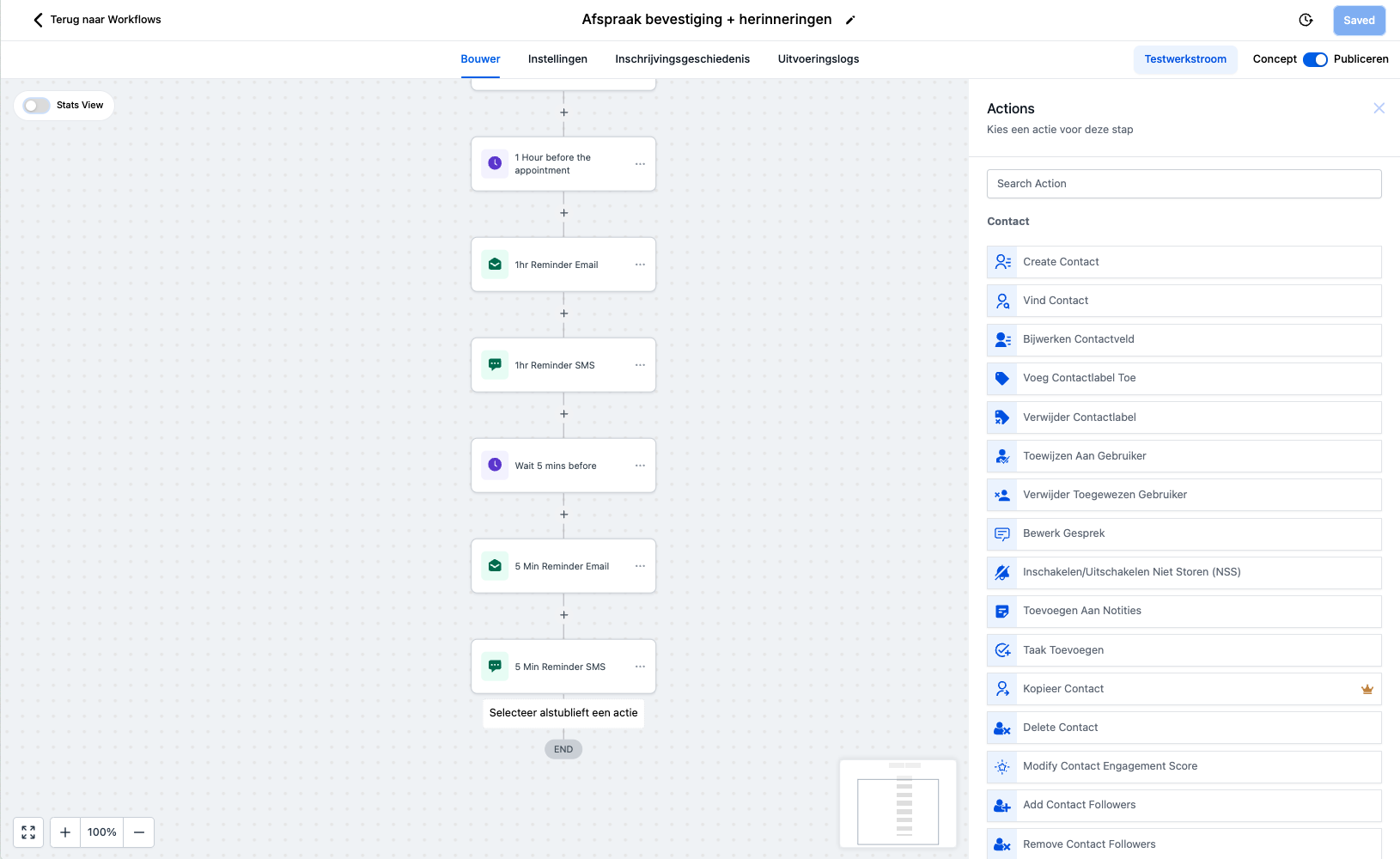
The workflow builder works visually: you drag and drop blocks onto a canvas and connect them. Each block is an action (send an email, wait 2 days, move the deal) or a condition (only if the customer has not responded).
- Triggers: Start a workflow when someone fills out a form, books an appointment, makes a payment, or gets a tag.
- Actions: Automatically send an email, SMS, WhatsApp, create a task, or move a deal in the pipeline.
- Prerequisites: Add if/then logic so that the workflow adapts to what the client is doing.
- Timing: Set delays - wait 1 hour, 2 days, or until a specific time.
Examples that work immediately
Workflows you can use right away
Consider these examples:
- Form completed → welcome email → deal created → notification to you
- Appointment booked → confirmation → reminder 24h in advance → feedback request 1 day after the session
- Payment received → thank you email → access to course → welcome message in community
Templates and best practices
Don't start from scratch - use proven templates
You don't have to figure out which workflows you need on your own. We set up the most important workflows based on your business type. Think about:
- New lead: Welcome email → wait 2 days → follow-up email → if no response: SMS reminder.
- Appointment booked: Confirmation → reminder 24h → feedback request after session.
- Pathway completed: Thank you email → review request → reactivation after 3 months.
Advanced capabilities
For when you want to go further
The workflow builder also offers advanced options for when your system grows: wait until a specific condition is met, split the flow based on multiple criteria, add AI steps, or link external systems via webhooks. Growth is always possible.
Automatic Workflows
- Visual workflow builder with drag-and-drop
- Starts automatically based on triggers (form, payment, phase)
- Send emails, SMS, tasks and notifications automatically
- Prerequisites and ramifications for smart logic
Frequently Asked Questions
Should I build my own workflows?
For most automations, no. Because everything is in one system, you don't need to tie external tools together. For links to external software, though, you can use Zapier or Make if you wish.
Do I still need Zapier?
No. We set up your most important workflows during setup. Later you can modify or add new ones yourself via the visual builder.
What all can I automate?
Almost everything: emails, SMS, WhatsApp messages, tasks, pipeline moves, tag changes, notifications, and more. The possibilities are virtually endless.
Can I also automate internal processes, not just customer communications?
Absolutely. Automation is not only for marketing to customers, but also for internal efficiency. For example, you can set up to automatically create a task for your sales team when a lead reaches a certain score (lead scoring), or to notify you by email as soon as someone fills out an important form. You can even automate repetitive administrative steps so your team can focus on what really matters: the customer.
Can I link automations to my CRM and other modules?
Yes. All automations are directly connected to your CRM, forms, funnels, calendar, payments and communication channels. For example, you can automatically create tasks, send emails, add tags, adjust pipeline stages or send an SMS when a customer does or does not do something.

